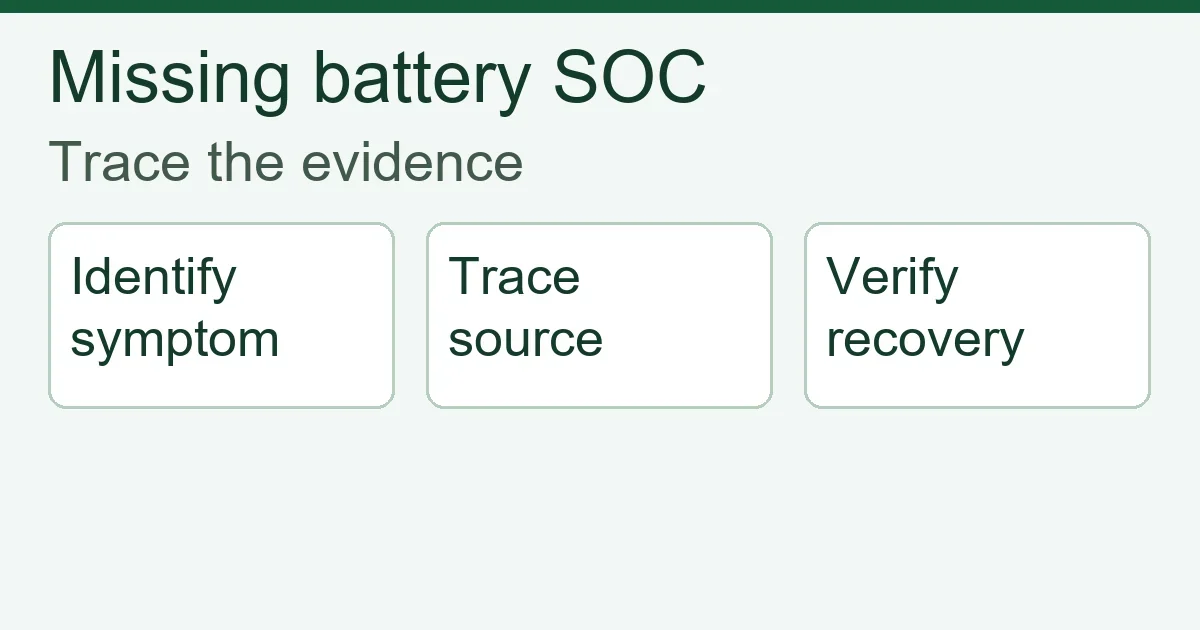
Inverter Not Reading Battery SOC: An Installer’s Diagnostic Guide
An inverter not reading battery SOC needs a data-path diagnosis before a battery replacement. First distinguish a missing battery connection from an incorrect state-of-charge source, a stale display and a battery that is communicating but restricting operation. Confirm the exact battery, inverter and gateway combination, preserve its alarm history, and compare the battery’s own readings with the local controller at the same time.
A percentage on a screen does not prove that the inverter is receiving the battery’s operating limits. Conversely, a missing percentage does not by itself prove that the cells are damaged. The objective is to establish which information is missing, where it stops, and whether the approved control arrangement remains functional.
This guide addresses an installed system with a missing or implausible SOC reading. For pre-order electrical and protocol selection, use the separate battery and inverter compatibility guide. The checks below are an evidence framework for authorised installers, not a universal pinout, firmware procedure or permission to operate without required BMS control.
Inverter not reading battery SOC: identify the symptom
Record the local battery display, inverter display and gateway or monitoring portal separately. A blank field, a frozen value and two changing but different percentages lead to different investigations. Note whether the system ever worked, whether the issue began after an update, and whether a battery module or controller was recently added.
| Observed symptom | First distinction | Evidence to retain |
|---|---|---|
| No battery listed locally | Device detection or communication path | Device list, communication alarm, model and port labels |
| Battery listed, SOC blank | Available fields and selected SOC source | Battery detail page and source configuration |
| Local SOC changes, portal stays fixed | Local data versus remote reporting | Matching timestamps and last portal update |
| SOC available, charge or discharge unavailable | Telemetry versus permission or current limit | Battery limits, alarms and actual operating state |
| Two SOC values disagree | Different source, scope or estimation method | Source identity, module count and current readings |
Keep photographs or exports before resetting anything. A reboot may remove the sequence that explains an intermittent problem. For remote support, include the time zone and identify which screen produced each value; a screenshot without its source can mislead the next technician.
Trace the SOC source through the system
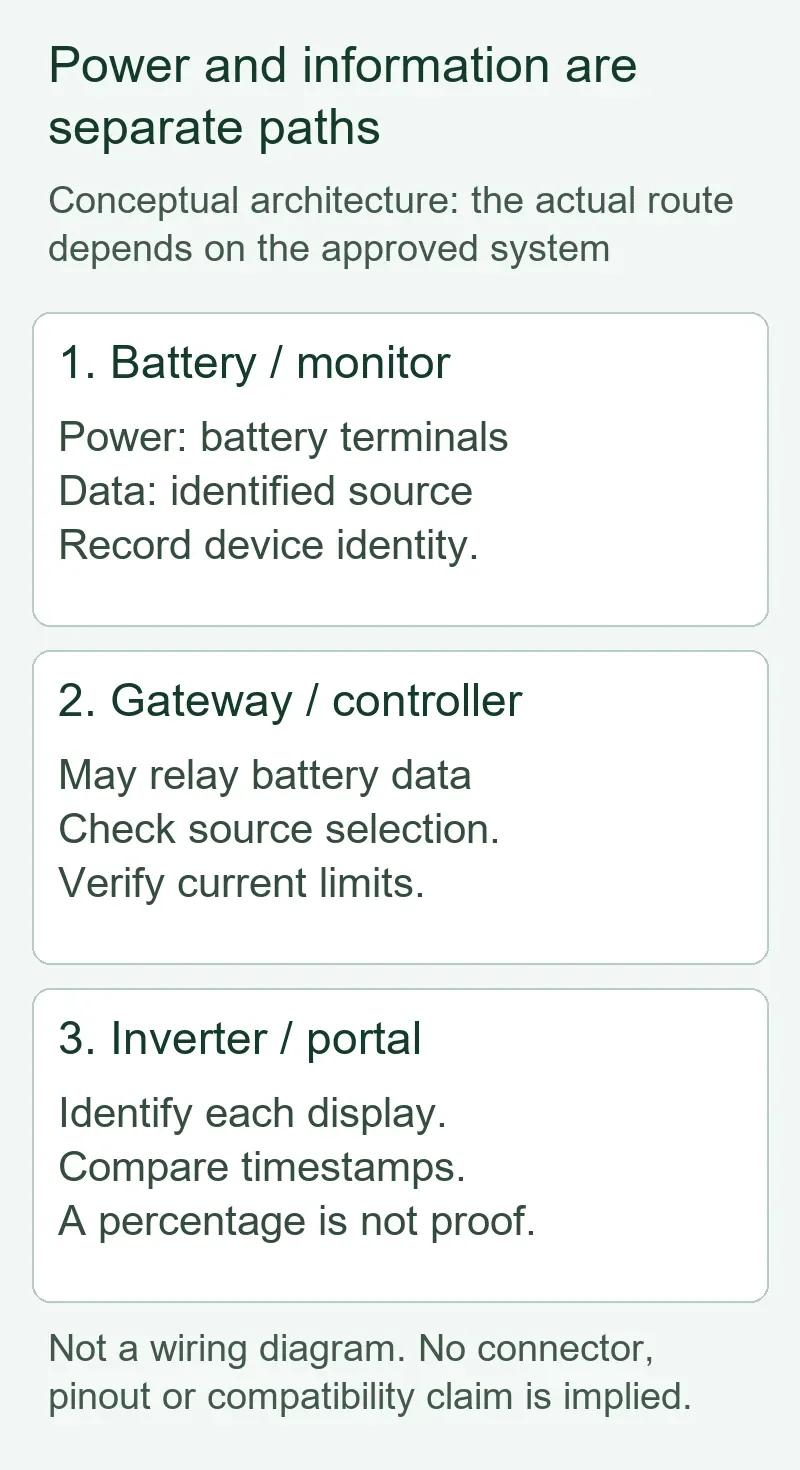
Identify the device responsible for the displayed SOC, then follow its data route to the inverter and portal. Some architectures use battery-reported SOC; others display an estimate from a separate monitor or inverter. The supported arrangement is determined by the exact equipment documentation.
For example, Victron’s Cerbo GX configuration manual describes SOC source selection. Treat that as a feature of the documented Victron architecture, not a menu instruction for another inverter. Record the selected source’s device identity, not just a setting such as automatic selection.
Draw two routes in the service record: the battery power route and the information route. Depending on the approved architecture, the latter may pass through a master battery, gateway or external controller. A powered inverter can still lack required battery information. A functioning local link can also coexist with a failed internet connection.
Ask what the percentage represents. A master may represent a documented battery bank while a module display represents one module. A shunt-based monitor can have a different measurement boundary. Do not average displayed percentages or manually synchronise a monitor merely to make the screens agree; first verify the manufacturer’s conditions for a valid source and synchronisation.
Check the approved communication configuration
Match the installed combination to the manufacturer’s current integration instructions before changing hardware. The evidence should identify battery and inverter models, hardware revisions where applicable, gateway model, firmware versions, communication interface and selected battery profile.
Record whether the installation uses a low-voltage parallel bank or a high-voltage series stack, using the actual system documents. Module addressing and master arrangements cannot be transferred between these architectures by assumption. The low-voltage versus high-voltage battery guide explains the architecture decision; neither architecture label establishes a working communication link.
CAN and RS485 describe interfaces; their presence alone does not establish a shared application protocol. A connector that fits is not evidence of the correct port, pin assignment or cable. Use the specified cable or verified wiring drawing for the exact pair. Do not transfer a pinout, termination value, baud setting or address rule from a similar-looking product.
- Compare the installed cable endpoints with the labelled communication ports in both manuals.
- Check the selected battery protocol/profile against the approved integration document.
- Compare addressing, master selection, termination and module count with that document.
- Confirm the complete firmware combination, including a gateway or master controller if used.
- Retain the document revision and any written supplier confirmation with the service record.
These are document and configuration comparisons. Physical inspection, testing, disconnection and reconnection must follow the equipment’s isolation and service procedure and be performed by qualified personnel. Do not unplug communication during operation to see whether the inverter notices, or probe a live battery connector using an assumed pinout.
A compatibility list is a starting point, not a substitute for its conditions. The Victron battery compatibility index directs installers to battery-specific information. It does not verify an ORIDY-sourced model or establish compatibility with an unrelated inverter. Request equivalent model-level evidence from the suppliers of the installed equipment.
Separate SOC telemetry from operating limits
Verify the control information independently of the displayed percentage. Where the approved architecture uses BMS-reported limits, establish whether the controller receives and applies those limits. An SOC value alone is insufficient evidence of a complete control link.
In the documented managed-battery arrangement, the Cerbo GX DVCC manual describes battery-provided charge voltage, charge current and discharge current limits. This example illustrates why a technician should distinguish status information from control information. Other systems may implement control differently; verify their required signals and loss-of-communication behaviour.
If a battery is detected and its live discharge limit is zero, investigate the battery’s stated restriction and alarms through its service documentation. Do not assume zero means a broken cable. If limits are absent or stale, do not assume the last visible SOC permits continued operation. Record whether the inverter reports a communication fault and follow the approved shutdown or service response.
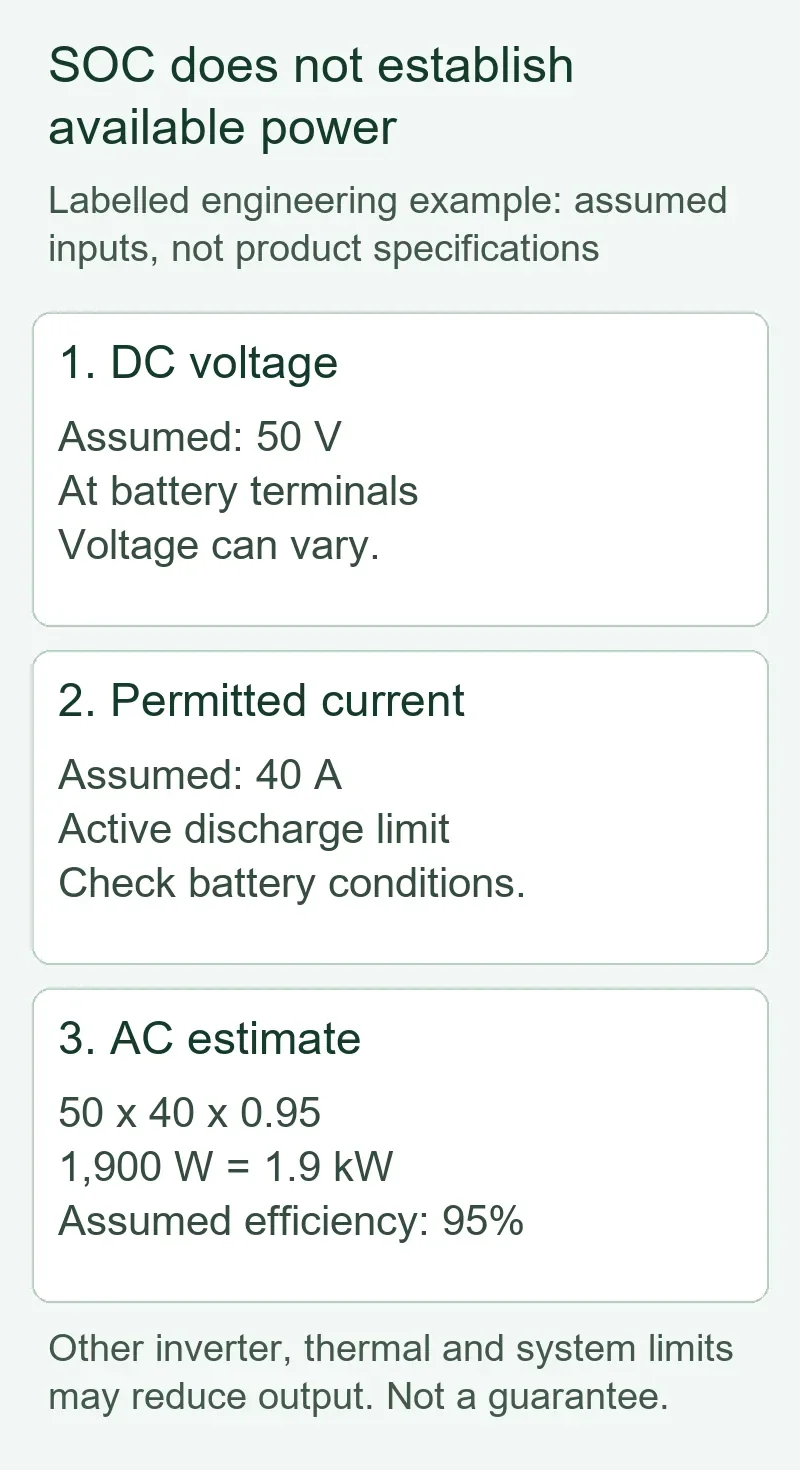
Electrical output also has an independent constraint. In a labelled engineering example, assume a battery DC terminal voltage of 50 V, an active permitted discharge current of 40 A and conversion efficiency of 95%. The simplified AC power estimate is 50 × 40 × 0.95 = 1,900 W, or 1.9 kW. These are assumed inputs, not product specifications or guaranteed output. Other inverter, thermal and system limits may reduce the result.
This example explains why an inverter can show substantial SOC and still be unable to supply a larger load. Changing SOC calibration would not remove a genuine current limit. Use the separate guide to how battery discharge current limits inverter power when the question becomes available power rather than missing data.
Use one controlled comparison at a time
Choose a comparison that can distinguish two explanations and has an approved method. Start with read-only checks. If a configuration or component change is required, record the predicted result, obtain the authorised procedure, save the original configuration and change one variable.
For a first commissioning failure, compare the actual installation with the approved integration drawing and firmware matrix. For a previously working system, preserve the last working record and examine changes since that point. For intermittent loss, collect event times and operating conditions rather than declaring a successful reboot to be a permanent repair.
| Comparison | What it can distinguish | What it cannot prove |
|---|---|---|
| Local device page versus portal at the same time | Local availability versus remote reporting | Correct battery control from a percentage alone |
| Installed profile versus approved profile | A documented configuration mismatch | That changing a profile is safe without its procedure |
| Firmware record versus supported combination | An integration condition needing supplier review | That the newest firmware is always the right repair |
| Pre-change and post-change logs | Whether the predicted symptom changed | Long-term reliability from one short session |
In a hypothetical service case, the battery’s local SOC changes, the gateway lists that battery, but the portal remains fixed with an old timestamp. The first unresolved question is remote reporting. Replacing the battery would not be justified by that evidence. In a different case, the battery disappears from the local device list immediately after a documented profile change. Compare that change against the approved configuration before recommending hardware replacement.
Neither scenario is an ORIDY customer case. They show how the same complaint can have different evidence and next steps. If evidence remains contradictory, escalate the contradiction rather than inventing an explanation.
Retest the complete function before closing the visit
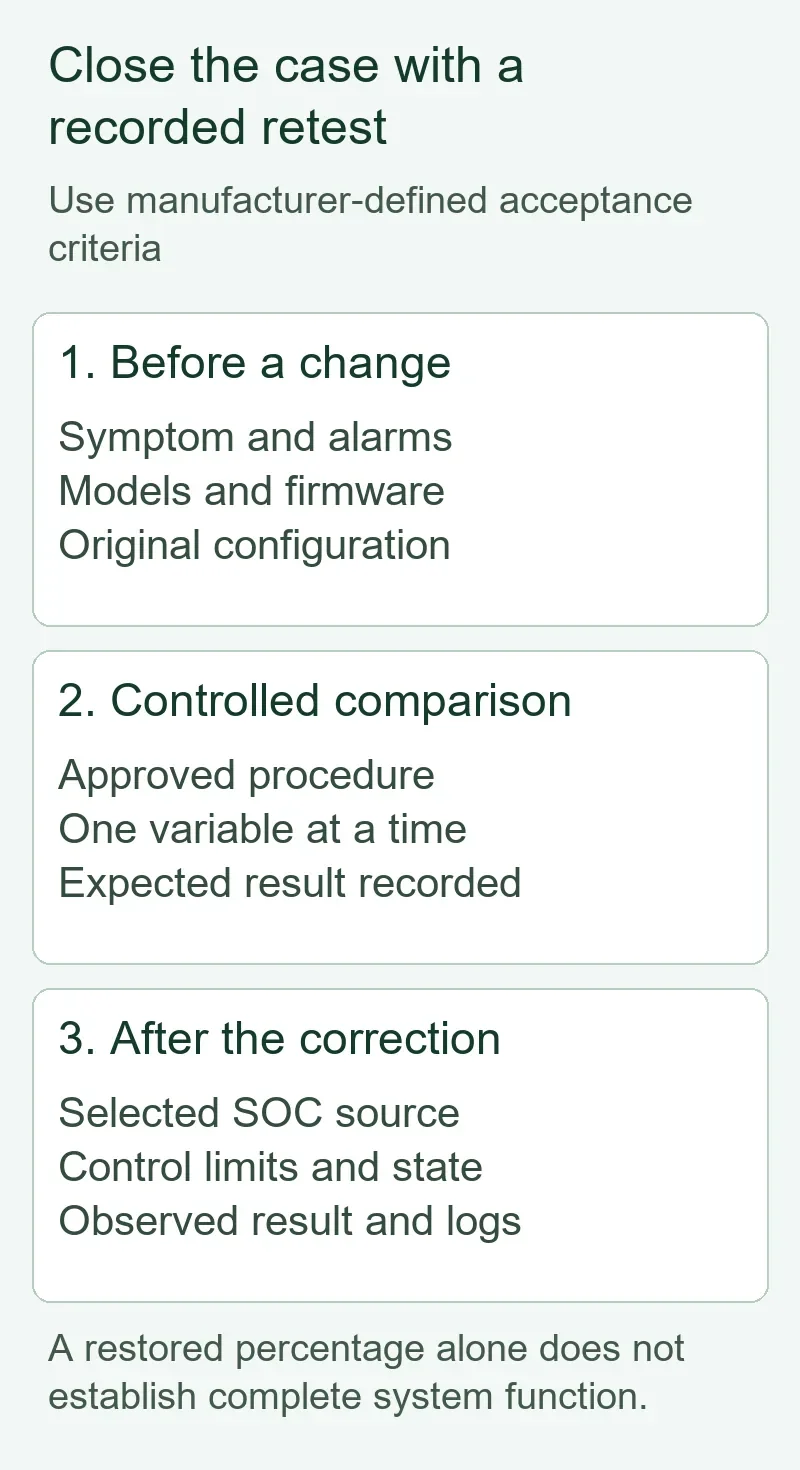
A recovered percentage is one acceptance item. Also confirm device identity, current data, applicable operating limits and the behaviour required by the commissioned system. Use manufacturer-defined acceptance criteria and test duration; there is no universal observation period for every battery and inverter.
Record the initial fault, authorised correction, firmware/configuration after the correction, and the observed result. Capture the selected SOC source and actual charge/discharge state. If backup function is part of the project, its verification needs the installation’s approved commissioning procedure; do not interrupt the supply as an improvised demonstration.
For a distributor’s sample evaluation, require the supplier to demonstrate diagnostic access and explain which logs can be exported. Confirm who owns battery-side, inverter-side and gateway-side support. A bundle sold by one party can still involve multiple firmware owners; the purchase agreement should identify the coordination route.
If an installed combination remains unverified, send ORIDY the battery and inverter models, firmware versions and destination market so we can help coordinate the information needed to evaluate suitable sourcing options. Omit customer passwords and personal information from diagnostic files.
Turn the diagnosis into a better RFQ
Ask for the integration evidence with the quotation, before a sample or bulk order. A statement such as compatible with CAN does not resolve firmware support, required accessories, service responsibilities or the exact supported models.
- System identity: battery, inverter and gateway models; hardware revisions; module quantity; intended expansion.
- Integration evidence: supported firmware combination, protocol/profile, cable drawing or part number, and commissioning instructions.
- Control behaviour: SOC source, required operating limits, alarms, loss-of-communication response and approved recovery procedure.
- Service evidence: accessible logs, export method, configuration backup, update policy and responsibility for joint fault investigation.
- Commercial scope: quantity, destination, required documents, spare accessories, packaging, warranty-claim process and quotation terms.
Certification requirements and available documentation depend on the selected model and target market. Request documents whose model identity and scope match the proposed equipment; a protocol demonstration does not establish market access. Local installation and electrical requirements still apply.
ORIDY ENERGY is a China-based renewable-energy supply-chain, sourcing and technical-coordination partner. OEM, ODM, CIF and DDP support can be discussed for a suitable project; customization scope, price, MOQ, lead time, responsibilities and quotation validity require the actual quotation. For repeat procurement, compare documented configurations and support scope alongside unit cost.
Share your battery and inverter models, system voltage, required capacity, firmware information, quantity and destination market. Include the specific missing reading or communication alarm so ORIDY can help coordinate an appropriate technical and sourcing discussion.